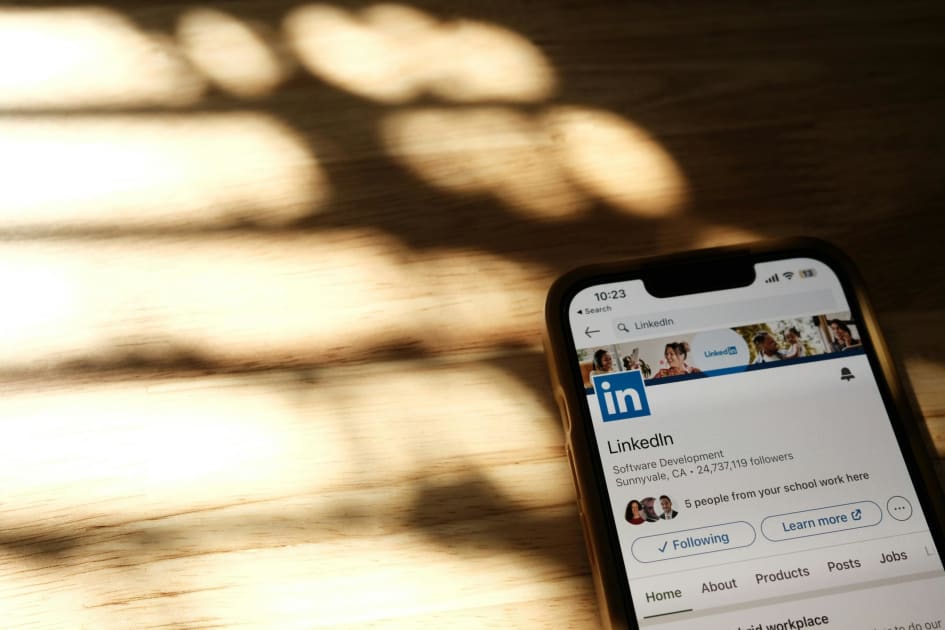
Have you ever clicked “Connect” on a recruiter’s LinkedIn profile, felt hopeful for a moment, and then heard nothing back? You’re not alone. For many job seekers, reaching out on LinkedIn feels awkward, intimidating, or like shouting into the void.
Because of that uncertainty, people often avoid messaging recruiters altogether and stick to applying through job boards. The problem is that this approach quietly cuts you off from some of the best opportunities available.
Learning how to connect with recruiters on LinkedIn isn’t about luck or being “salesy.” It’s about using a clear, repeatable strategy that helps you find the right recruiters and send short, confident messages that actually get responses.
Why Connecting Beats Applying: Accessing the Hidden Job Market
If online applications feel like they disappear into a black hole, that’s because they often do. Applying through job portals is reactive and algorithm-driven, which means you’re competing with hundreds of candidates for attention.
A proactive approach flips that dynamic. When you reach out directly, you’re tapping into the hidden job market, where many roles are filled before they’re ever advertised. Recruiters frequently shortlist candidates from their existing network first.
When you understand how to reach out to recruiters on LinkedIn, you move from being just another application to being a real person. A simple connection today can mean you’re the first name a recruiter thinks of when a role opens tomorrow.
Your Digital Handshake: 3 Profile Essentials Recruiters Look For
Before you think about how to message a recruiter on LinkedIn, your profile needs to pass a quick credibility check. When a recruiter receives your request, they almost always click through to your profile before deciding whether to accept.
Make sure these three elements are in place:
A clear, professional headshot
Choose a simple photo with good lighting, a neutral background, and just you in the frame. This builds instant trust.
A descriptive headline
Don’t rely only on your job title. Explain what you do and where you’re heading, for example:
Data Analyst | Open to Junior Analytics Roles in FinTech
A short, focused About section
Write two or three sentences that highlight your key skills and the type of opportunity you’re seeking. Keep it concise and relevant.
Once these are done, your profile supports every outreach you send.
How to Find Recruiters on LinkedIn in Under Five Minutes
Knowing how to find recruiters on LinkedIn is just as important as knowing what to say. The mistake most people make is searching too broadly.
Instead of typing only “recruiter,” try this format in the LinkedIn search bar:
“Recruiter at [Company Name]”
For example, “Recruiter at Microsoft.”
After searching, click the People filter to remove job posts and articles.
This method helps you identify internal recruiters who work directly for the company you’re interested in. Their role is to hire specifically for that organisation, which makes them especially valuable contacts. Agency recruiters will appear too, and they can also be useful, but internal recruiters often give you the most direct access.
This approach works whether you’re learning how to find a recruiter on LinkedIn for one company or building a broader network in your industry.
The 300-Character Formula That Gets Connection Requests Accepted
That small message box can feel surprisingly stressful. But understanding how to reach out to a recruiter on LinkedIn starts with keeping things simple.
LinkedIn limits your note to 300 characters, which is a good thing. It forces clarity.
Use this three-part formula:
Greeting
A friendly “Hi [Name],” is enough.
Reason
Briefly explain why you’re reaching out.
“I see you recruit for product roles at [Company].”
Intent
State your purpose without asking for a job.
“I’d love to connect and stay on your radar for future opportunities.”
If you’re wondering how to message recruiters on LinkedIn, remember this: the goal is not to get hired in the first message. The goal is simply to start the conversation.
3 Simple Connection Message Templates You Can Reuse
Seeing examples makes it easier to apply the framework in real situations. These templates cover the most common scenarios and help you understand how to reach out to recruiters LinkedIn without sounding generic.
1. The Company-Focused Message
Use this when no job is currently advertised.
Hi [Name], I’ve been following the work [Company] is doing and really admire it. As a [your role], I’d love to connect and stay in touch regarding any future opportunities. Thanks.
2. The Job Application Follow-Up
Use this after applying for a specific role.
Hi [Name], I recently applied for the [Job Title] role and noticed you recruit for this team. My experience in [key skill] aligns well, so I wanted to connect here as well. Best, [Your Name].
3. The Industry Networking Message
Use this to build long-term recruiter relationships.
Hi [Name], I see you recruit within the [industry] space. I work in this field as well and would be glad to connect and be part of your network.
These small personal touches make a big difference.
The Biggest Mistake: Sending a Blank Connection Request
The fastest way to get ignored is sending a connection request with no message at all. From a recruiter’s perspective, a blank request provides no context and no reason to engage.
Always click “Add a note” before sending. Even one thoughtful sentence shows intent, professionalism, and respect for their time. If you’re serious about learning how to connect with recruiters on LinkedIn, this step is non-negotiable.
Your Connection Was Accepted. What Should You Do Next?
Once a recruiter accepts your request, keep the momentum gentle. A short follow-up message works best:
Hi [Name], thanks for connecting. I appreciate you adding me to your network and look forward to staying in touch.
Avoid immediately asking for jobs or sending your CV. Relationships work better when they’re built over time. Recruiters remember candidates who are professional, patient, and easy to interact with.
A Simple 7-Day Plan to Start Connecting Today
If you want to put this into action right away, follow this one-week plan:
Days 1–2: Polish your photo, headline, and About section.
Days 3–4: Use targeted searches to find 10 relevant recruiters.
Days 5–7: Send 2–3 personalised connection requests per day.
By the end of the week, you’ll understand not just how to message a recruiter on LinkedIn, but how to build a network that continues to create opportunities long after you hit “apply.”
Every connection is a small investment in your future. Start making them intentionally.